yukovsky.space
This portfolio. It works two ways: a fast page for recruiters that reads well on any phone, and a pixel-art desktop with windows, a terminal, search and an AI assistant. You are inside it right now.
Closed source
git clone yukovsky-spaceAccess denied: the repository is private.Ask me for a demoThe problem
A CV and a list of links say little about how someone builds things. A recruiter needs the answer in thirty seconds; an engineer wants to see real work. I wanted one site that does both, and is itself a working product to explore.
How it works
On a phone or tablet it is a fast, plain page: who I am, my stack, flagship projects, contacts and the CV. On a wide screen it opens as a pixel desktop: projects open as windows, and there is a terminal, a start menu with search and an AI assistant that answers questions about my work. The desktop is alive, so poke around: there is more to it than it seems.
What I did
The idea, the product and visual direction, the architecture and every decision. The code is written by AI coding agents that I run in parallel: I write a spec and a contract for each, review what they ship and check the result in a headless browser.
Status
Live at yukovsky.space and in active development: new rounds of features and polish land every few days. The repository is private.
- Role
- Author: product, design direction and architecture (AI-directed development)
- Period
- Oct 2026 – now
- Status
- In development
- Stack
- Astro 7, TypeScript, Canvas 2D, GSAP, CSS: OKLCH, light-dark(), container queries, Content collections, pdf.js, astro-og-canvas, Node.js, Server-Sent Events, OpenRouter, Playwright
Key features
- Two modes over the same URLs: a quick recruiter page and a pixel desktop with draggable windows
- A living pixel-art wallpaper drawn on canvas, with its own day and night
- A terminal over a virtual file system generated from the site's content at build time
- Spotlight-style search across projects, sections, skills and files, in English and Russian
- An AI assistant grounded in the site's content, served by my own dependency-free Node.js server
- English and Russian, light and dark, a built-in CV viewer, and full content without JavaScript
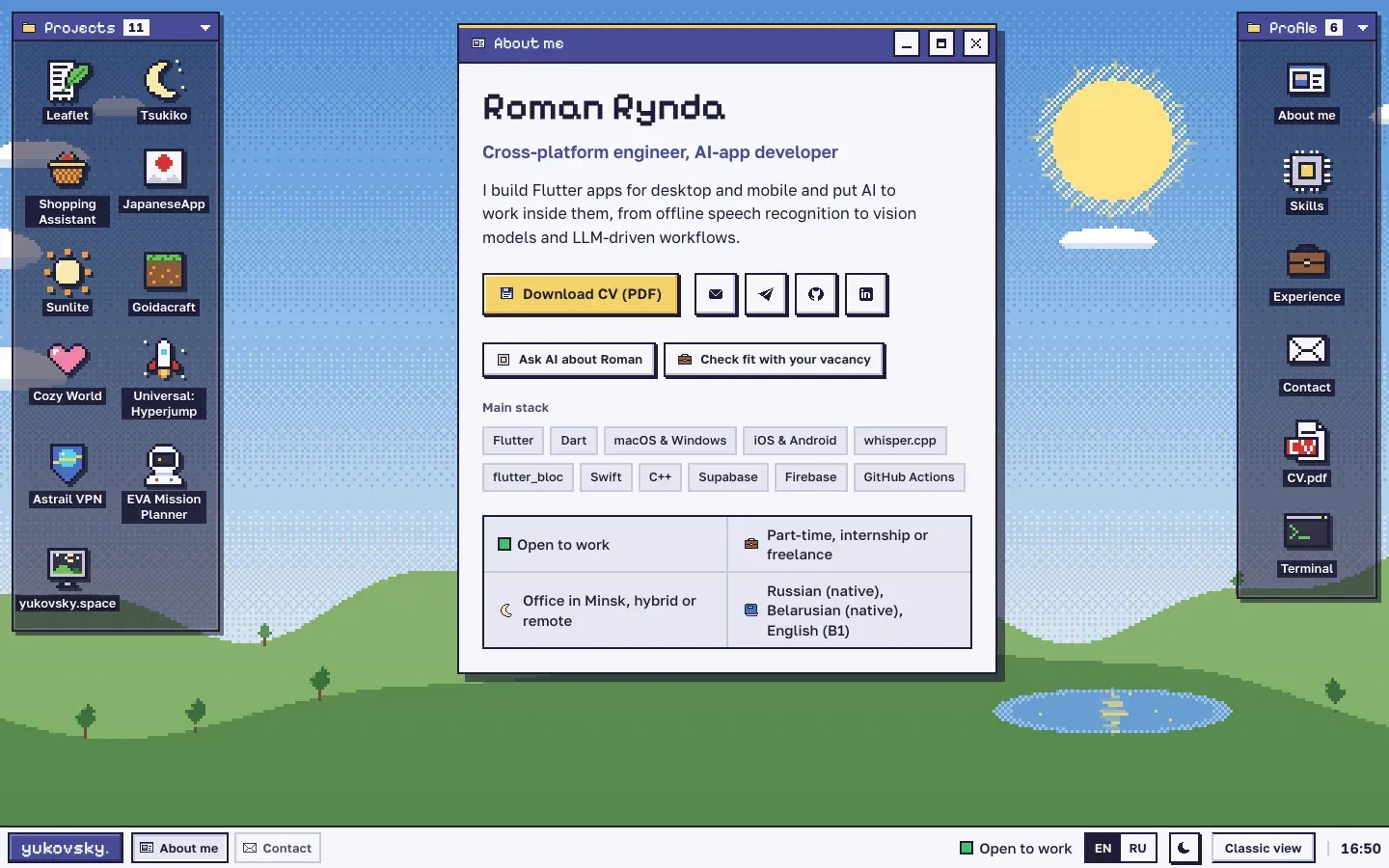
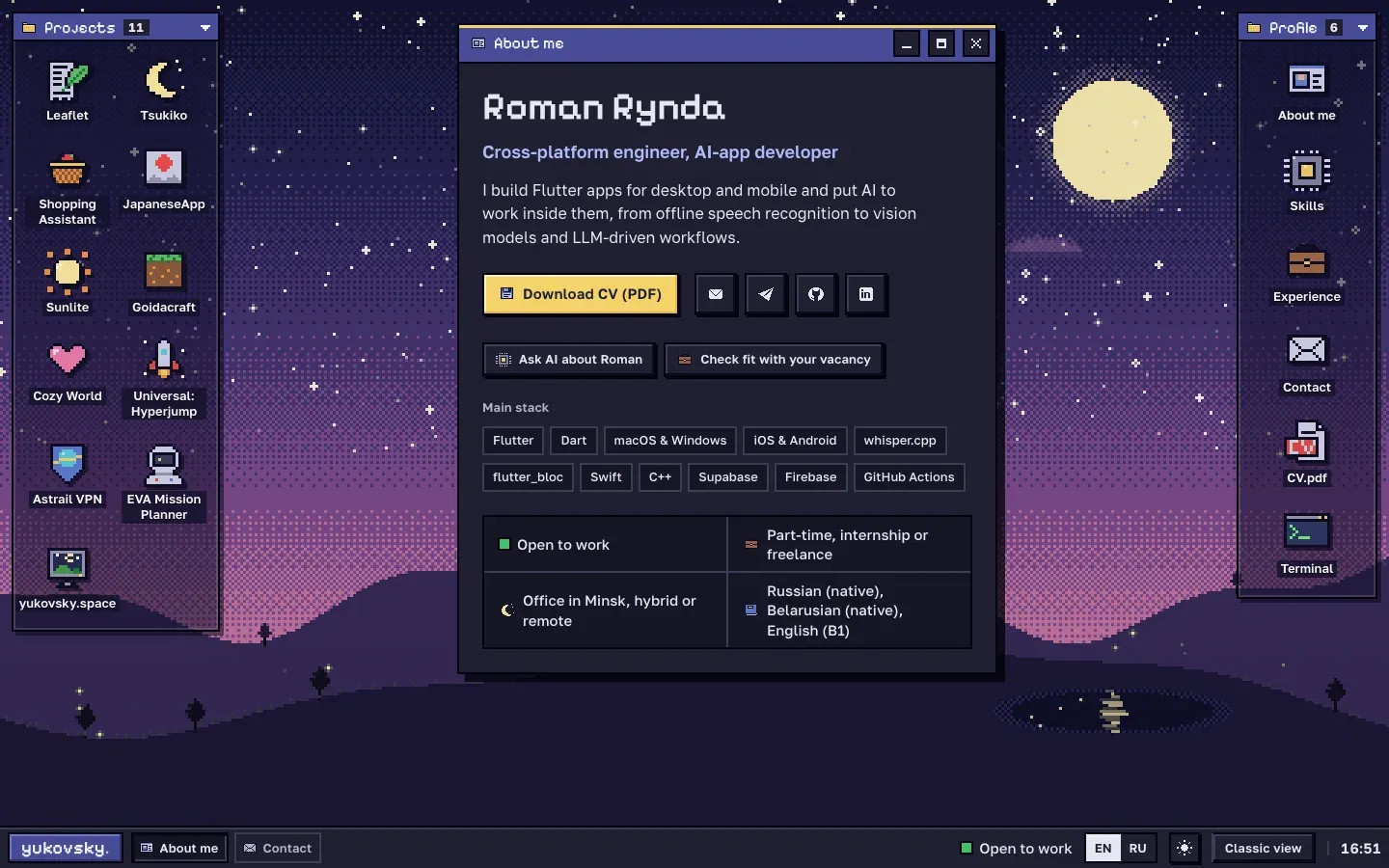
The desktop view: projects on the left, profile on the right, windows in between.
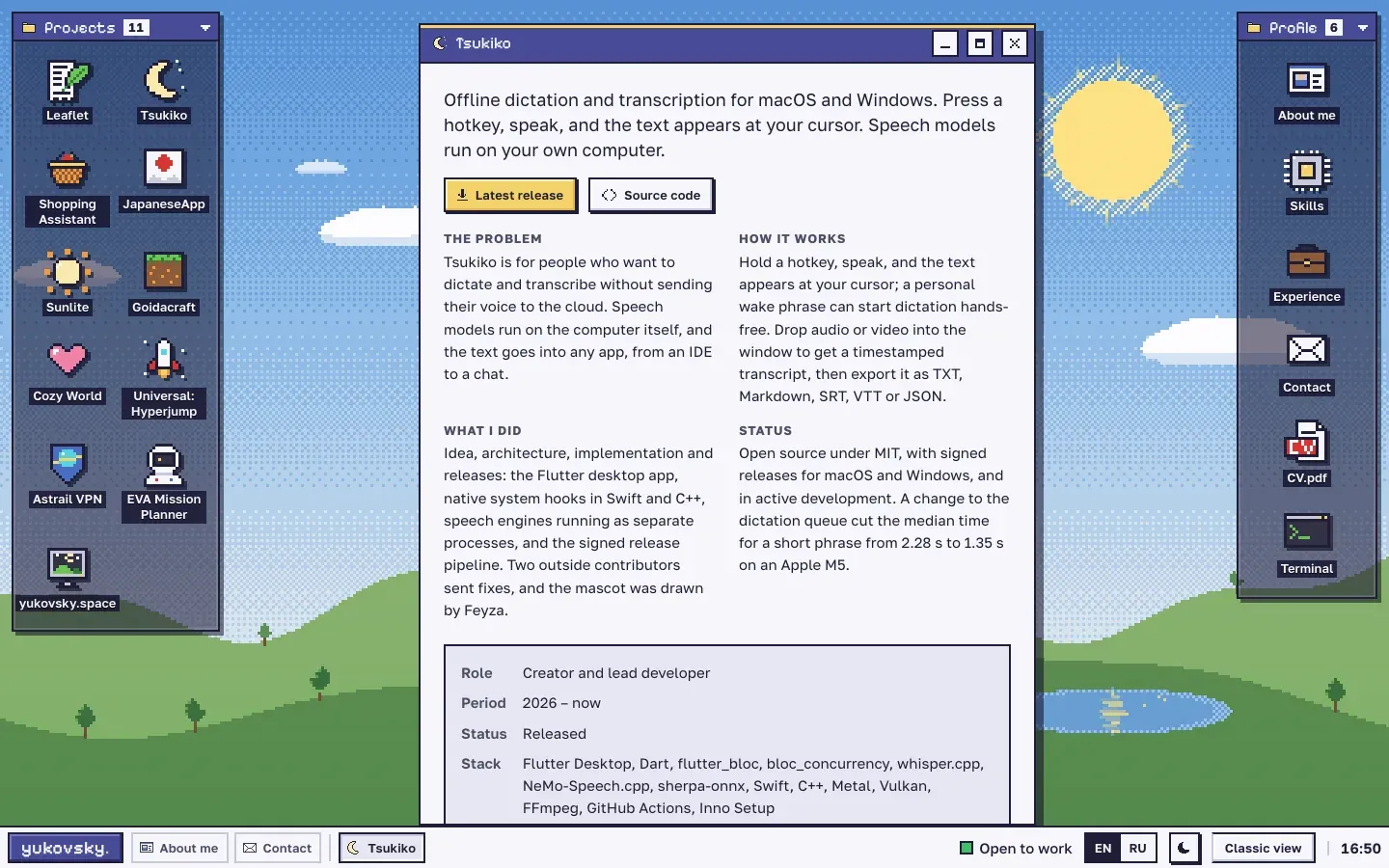
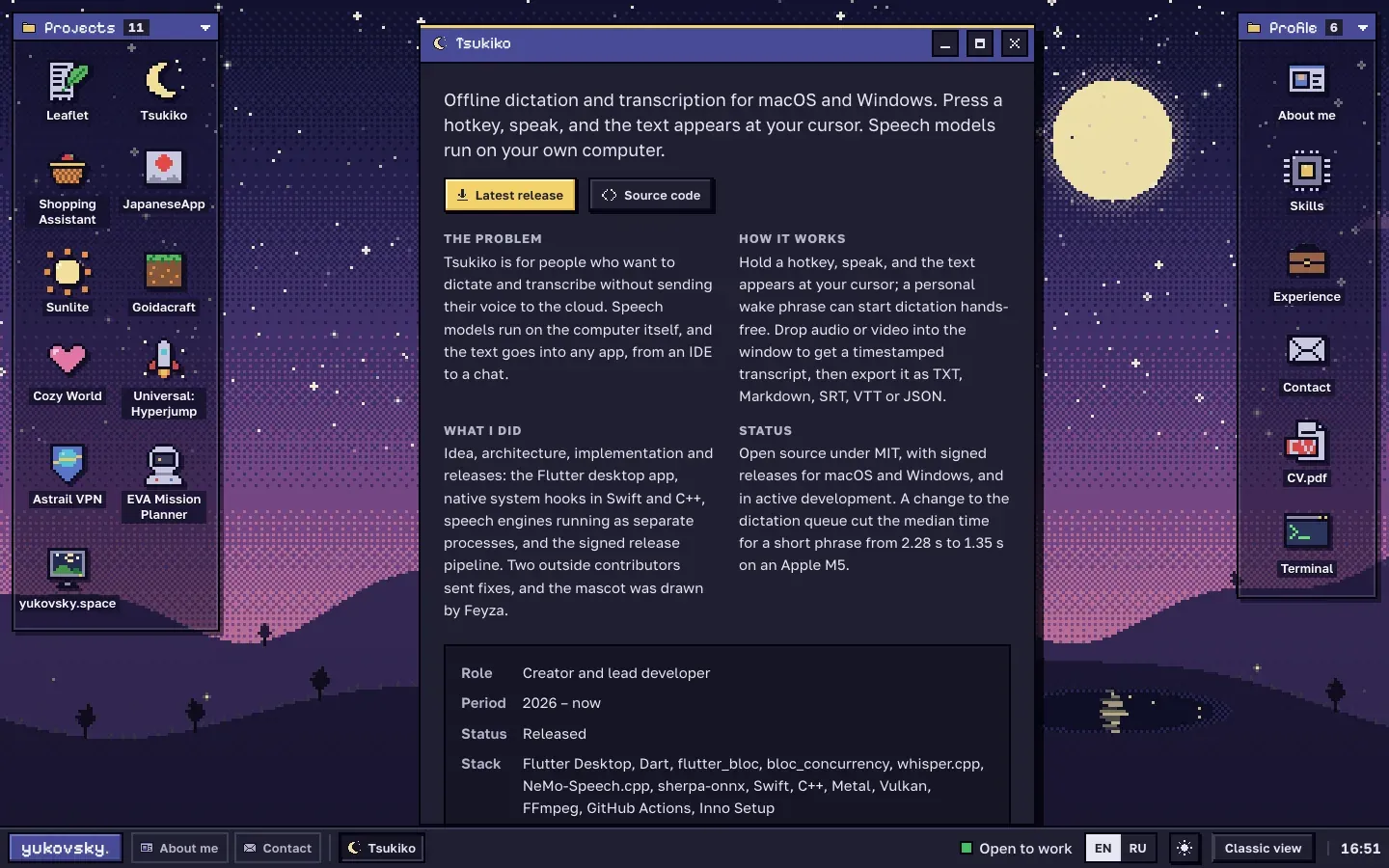
Every project opens as a window with the short version of its page: the story, key features, a demo and screenshots.
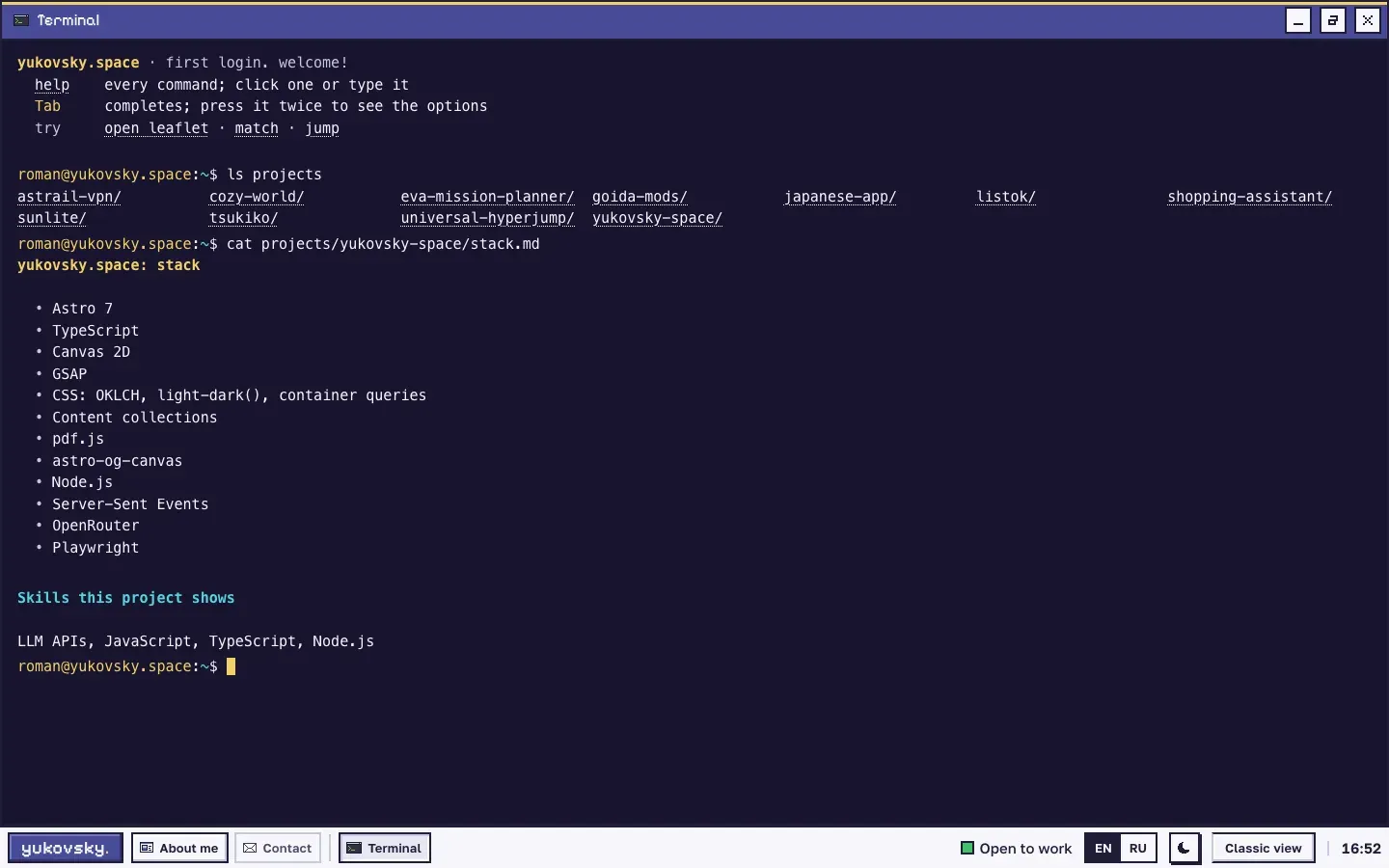
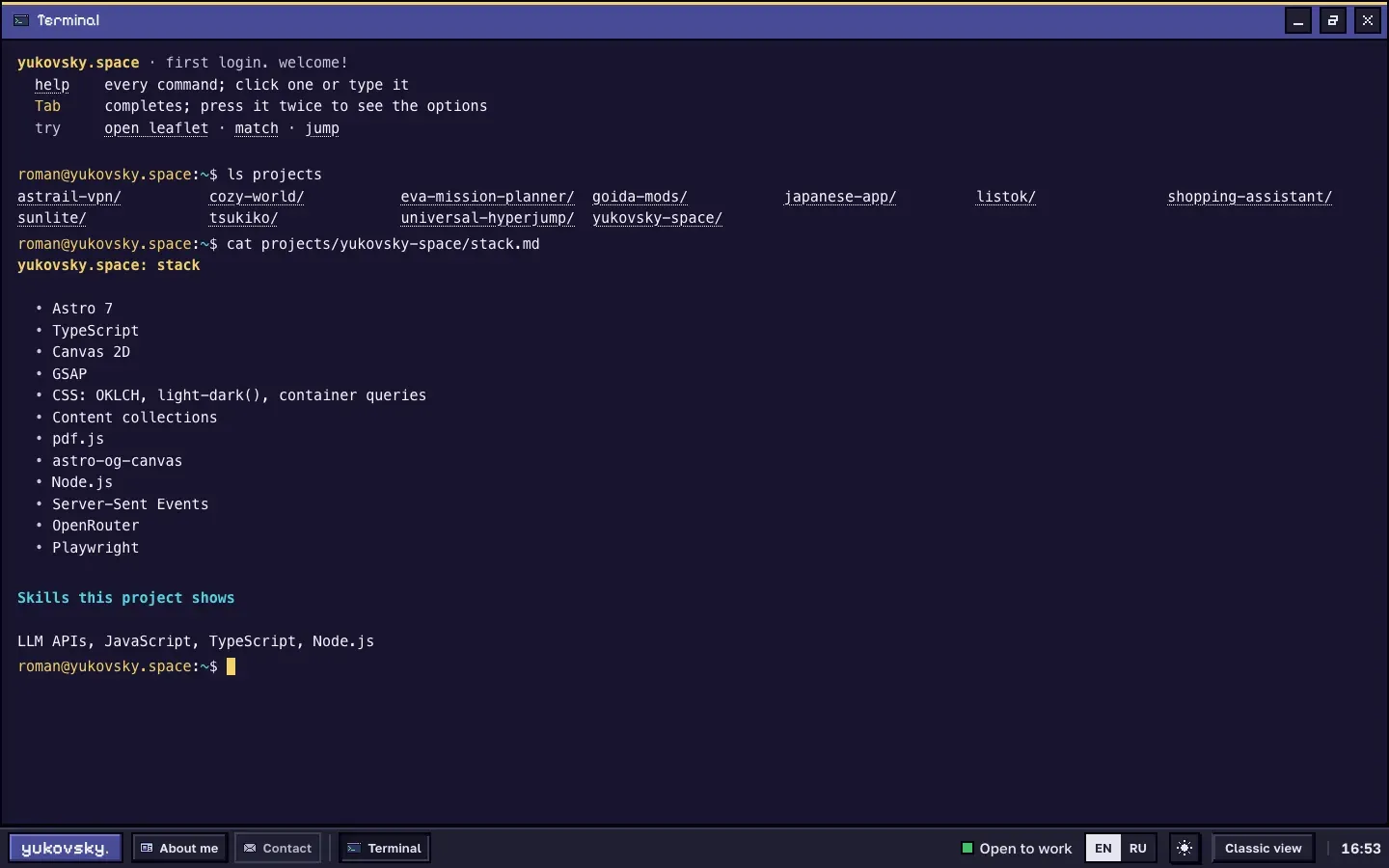
The terminal: a file system built from the site's content. Type help to start.
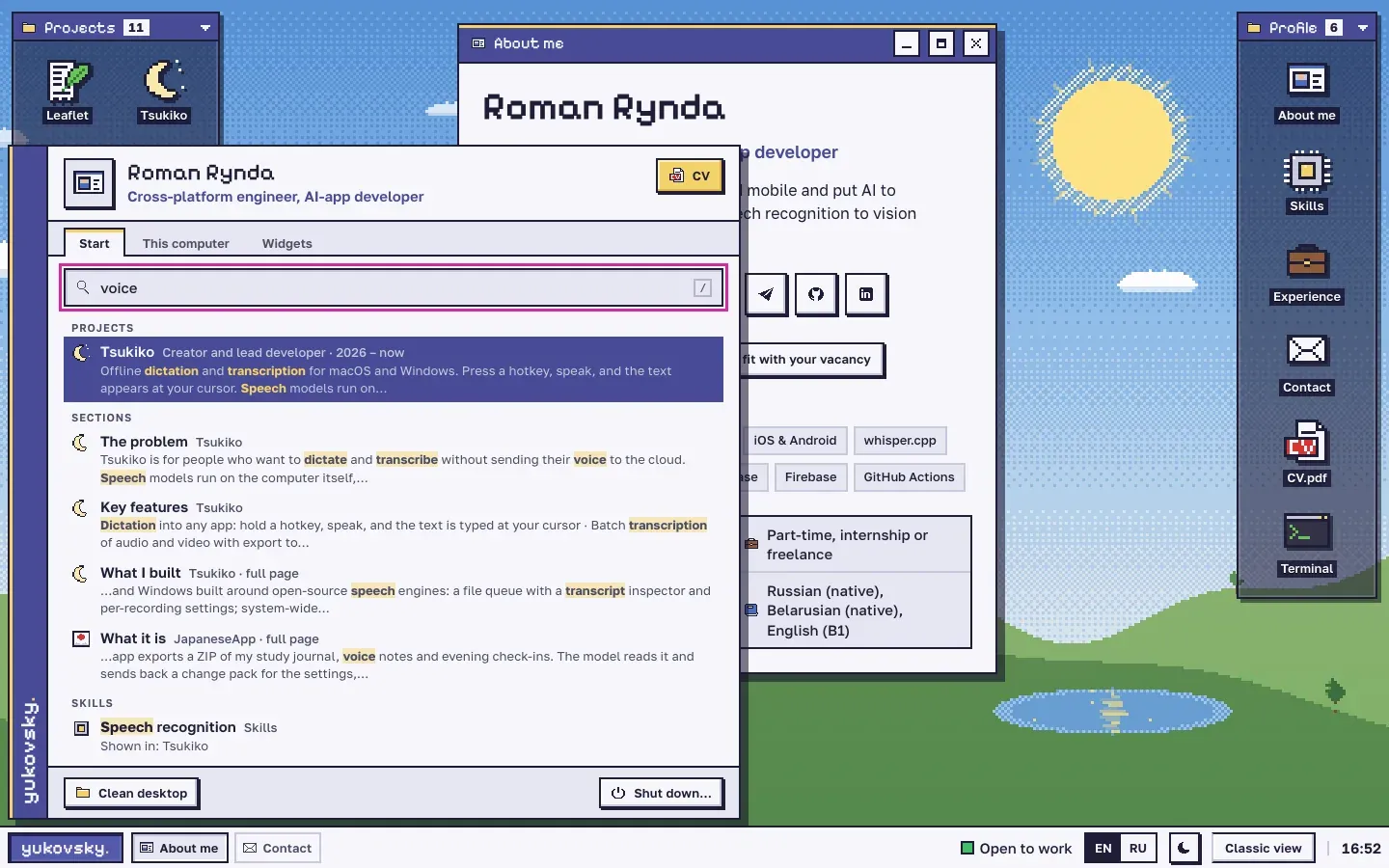
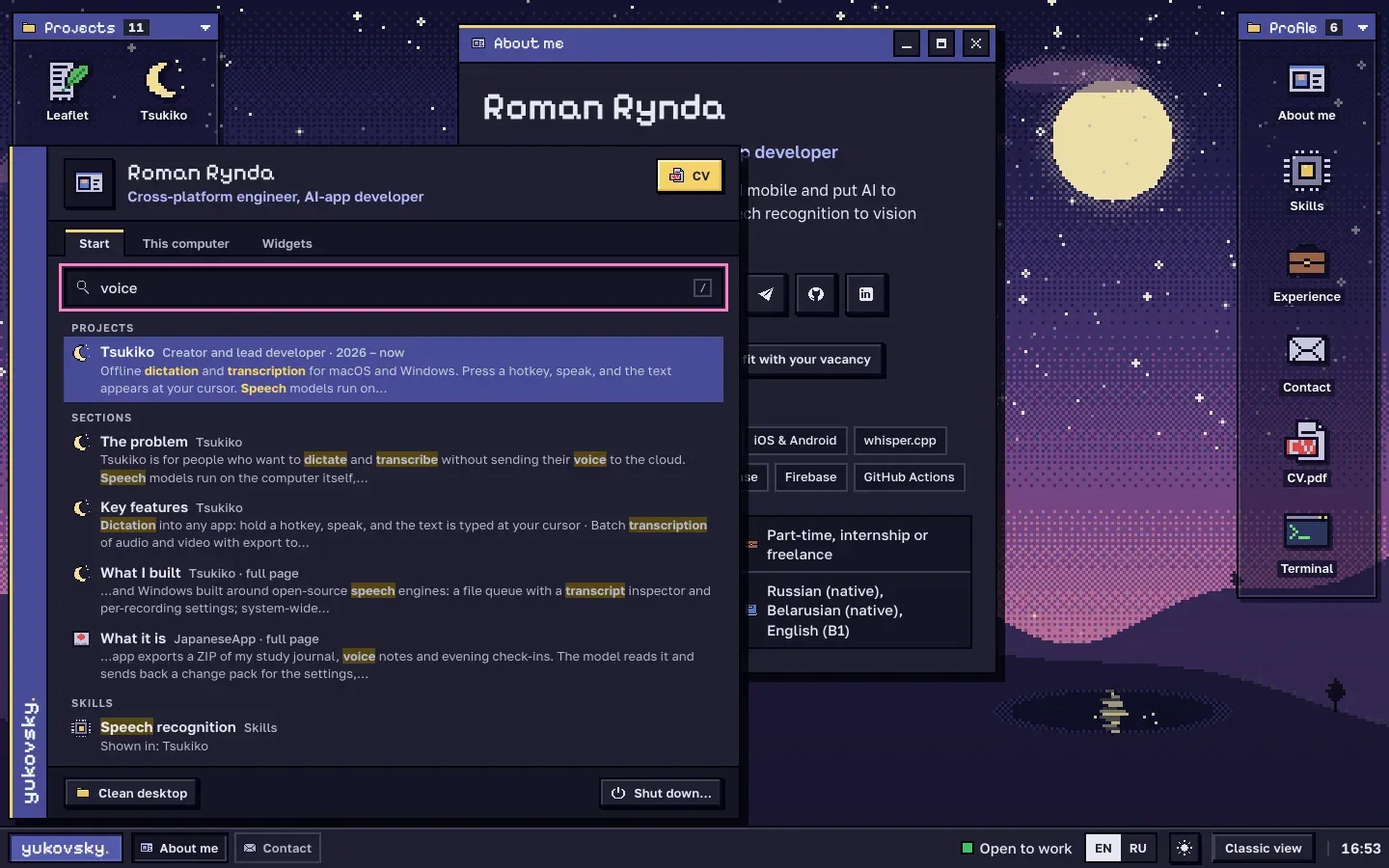
The start menu with Spotlight-style search over the whole site.
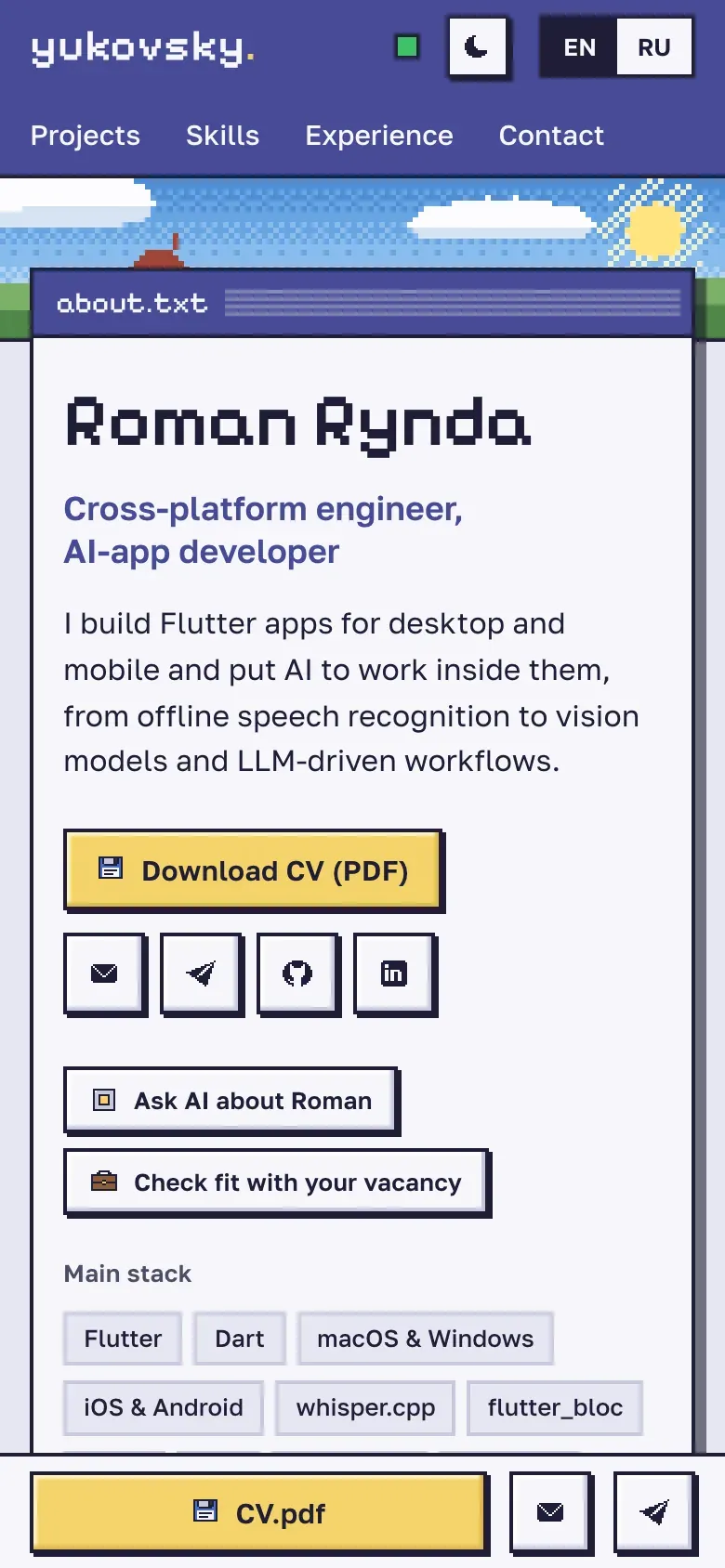
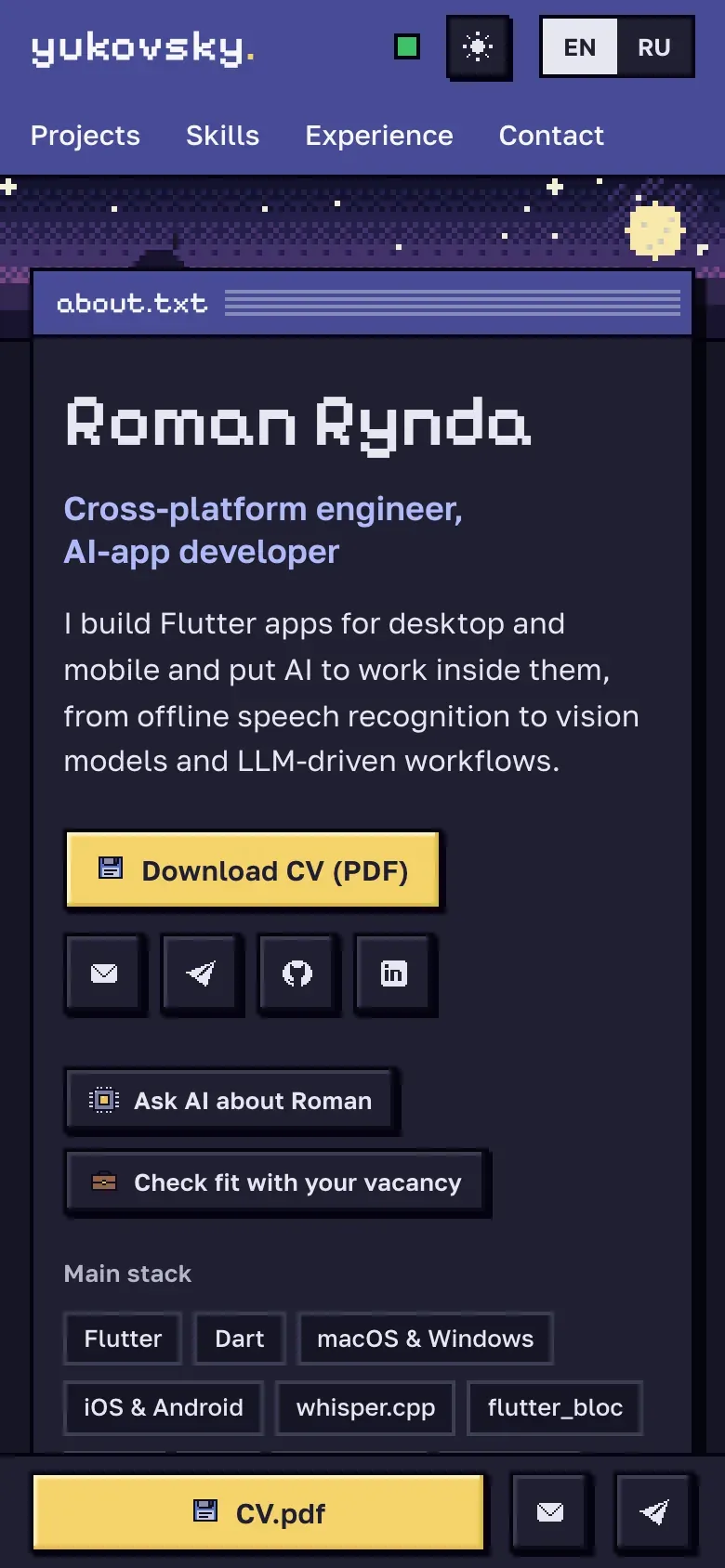
On a phone it is a plain, fast page that a recruiter can scan in half a minute.
1 / 5 The desktop view: projects on the left, profile on the right, windows in between.
What it is
The site you are reading. It has to serve two very different visitors, so it has two modes over the same pages.
A recruiter on a phone gets a plain, fast page: who I am, my stack, the flagship projects with what they achieved, contacts, the CV and whether I am open to work. It is static HTML, it reads in half a minute, and it works without JavaScript.
On a wide screen the same pages open as a pixel desktop. Projects sit in a folder on the left and open as draggable, resizable windows. There is a taskbar with a clock, a start menu with search across the whole site, a CV viewer, a terminal and an AI assistant that answers questions about my work and can check how I fit a vacancy. A switch moves between the two modes at any time.
The desktop view: projects on the left, profile on the right, windows in between.
Every project opens as a window with the short version of its page: the story, key features, a demo and screenshots.
The terminal: a file system built from the site's content. Type help to start.
The start menu with Spotlight-style search over the whole site.
On a phone it is a plain, fast page that a recruiter can scan in half a minute.
1 / 5 The desktop view: projects on the left, profile on the right, windows in between.
How it is built
- One set of pages, two modes. Astro renders every page as static HTML in English and Russian. The desktop is progressive enhancement: plain TypeScript, no UI framework, loaded only in desktop mode. Each window shows the same server-rendered markup as the real page, so links, search engines and reading without JavaScript all keep working.
- One source of content. Projects are Markdown files with a typed schema. The same entries feed the recruiter page, project pages, desktop windows, the start menu, the search index, the terminal’s files, the sitemap,
llms.txt, a JSON feed and the AI’s grounding. - Canvas pixel scene. The wallpaper is a small scene engine on Canvas 2D: dithered day and night palettes, pixel-stepped motion and a scheduler that keeps it cheap. It pauses in a hidden tab and settles into a still frame for visitors who prefer reduced motion.
- Search without a model. A build-time index per language with stemming, typo tolerance, prefix matching and an English–Russian synonym table answers in about 2 ms.
- Terminal. A virtual file system generated at build time: about, skills, contacts, the CV and a folder per project with its README and stack. Shell-style editing, history, completion and a pager.
- AI server. My own Node.js server with no dependencies. Once a day it ranks the free models on OpenRouter by quality, uptime and observed latency, then falls back between models and providers with circuit breakers. Answers stream over Server-Sent Events and are grounded in a context file built together with the site. Per-visitor and daily limits, size caps, an origin allow-list and optional Turnstile protect it, and visitor text is treated as data, never as instructions.
- Themes and languages. Light and dark follow the system until the visitor picks one. The 16×16 pixel icons carry their own day and night palettes. Every screenshot exists in four variants, theme × language, and swaps live without layout shift, downloading only the one on screen. On the desktop, switching language swaps every open window in place without a reload.
- Search engines and sharing. JSON-LD (Person, ProfilePage, SoftwareApplication, BreadcrumbList), a sitemap with hreflang,
llms.txtand an Open Graph image for every page, rendered at build time with Cyrillic support. Release tags and recent commits come from the GitHub API at build time with a cached fallback, so no changing number is hard-coded. - CV viewer. pdf.js draws the CV inside a window with selectable text and working links. It loads only when the window opens.
How I build it
The site is a working example of how I build software with AI agents. Each round starts with a written spec. Several coding agents then work in parallel, each owning its own files and following shared contracts, for example a naming scheme that lets one agent’s screenshots plug into another agent’s gallery. I review what each agent ships, run the site in a headless browser at different sizes, themes and languages, and keep a status log of every decision. Logic that can break quietly, such as search ranking, the terminal’s skill matcher or the AI server’s fallbacks, has a small self-check that runs from the command line.
Try it
You do not need to read about it. On a computer, switch to the desktop view and look around: open a few windows, try the terminal, ask the AI something. The desktop is alive and there is more to it than it seems.
My role
Author of the product: the idea, the two-mode concept, the visual direction and the architecture. The code was written by AI coding agents under my direction: I set the specs, split the work, reviewed it and checked every round in the browser.