Astrail VPN
A desktop client for my own VPN on macOS and Windows: one switch to connect, routing by app and by domain, and a kill switch that blocks traffic when the tunnel drops.
Closed source
git clone astrail-vpnAccess denied: the repository is private.Ask me for a demoThe problem
I wanted a VPN client that does more than connect: when a site breaks, it should explain why and be able to say the problem is not the VPN. Astrail is that client for a VPN I run for myself and one other person.
How it works
One switch connects the computer. You choose whether everything goes through the tunnel except chosen exceptions, or only the apps and sites you pick, and a route check shows where a domain will go. A kill switch blocks traffic if the tunnel drops, and diagnostics tell a site's own block apart from a slow tunnel.
What I did
Sole author of the app, the platform layer that runs the tunnel with system privileges, the rule engine and the server it connects to. I wrote it with AI coding agents and set the product principles and the architecture myself.
Status
In daily use on my own computers and not distributed. The repository is private because it contains the connection settings for my server.
- Role
- Sole author
- Period
- Sep – Oct 2026
- Status
- In development
- Stack
- Flutter Desktop, Dart, flutter_bloc, sing-box, Swift, launchd, macOS Packet Filter, Wintun, Windows Firewall, Fragment shaders
Key features
- One switch to connect, with a session timer and a rocket that flies only as fast as the real connection
- Two routing modes: everything except chosen exceptions, or only the apps and sites you pick
- Per-app and per-domain rules with a route check that shows where a domain would go
- A three-level kill switch that blocks traffic at the system level if the tunnel drops
- Diagnostics that tell a site's own block apart from a slow tunnel
- Rules shared with the phone, so laptop and phone route traffic the same way
Not protected00:00:00
Route check
- youtube.comDirect
- github.comDirect
- *.byDirect
- Telegram (app)Direct
Kill switch is on: if the tunnel drops, traffic stops instead of leaking.
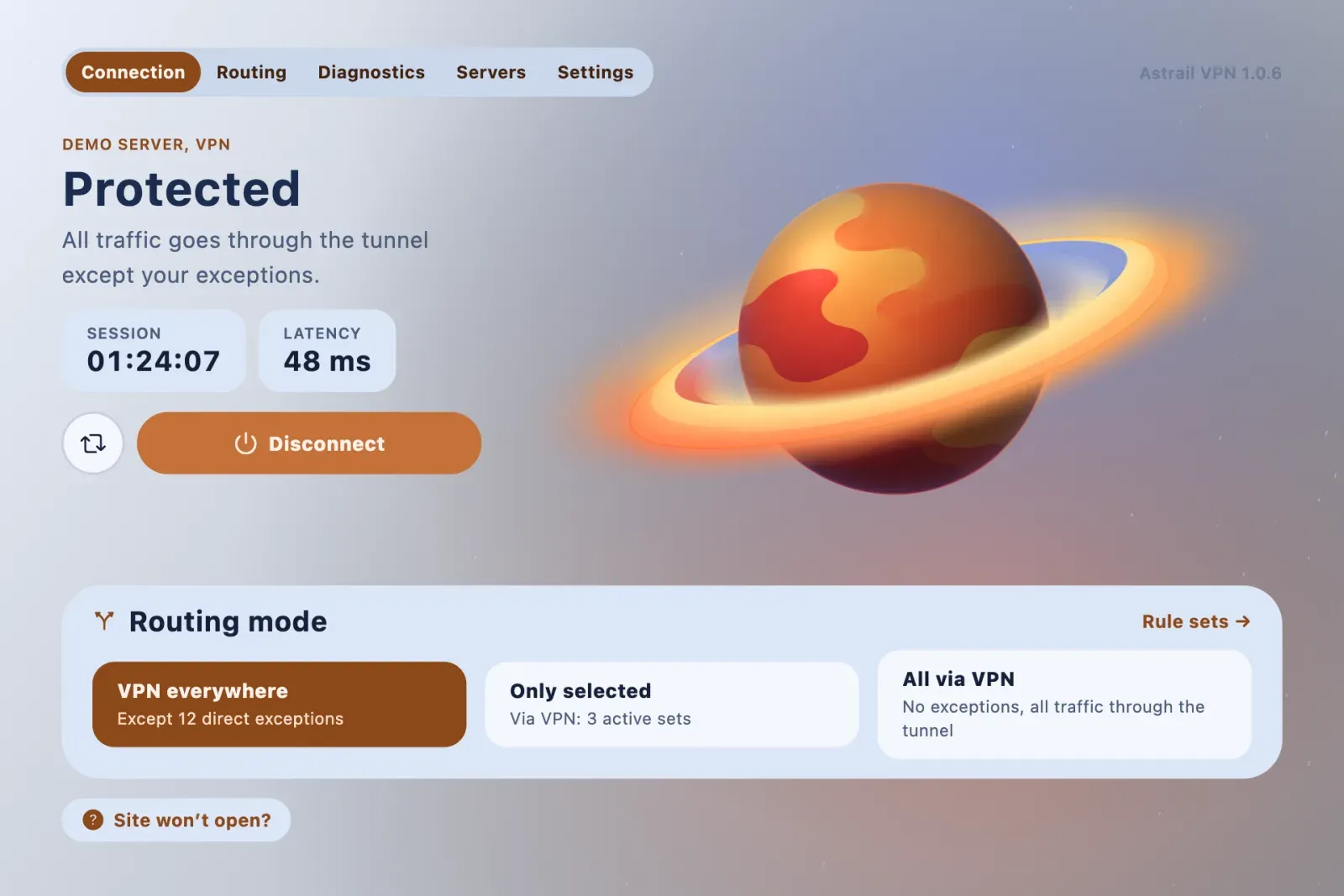
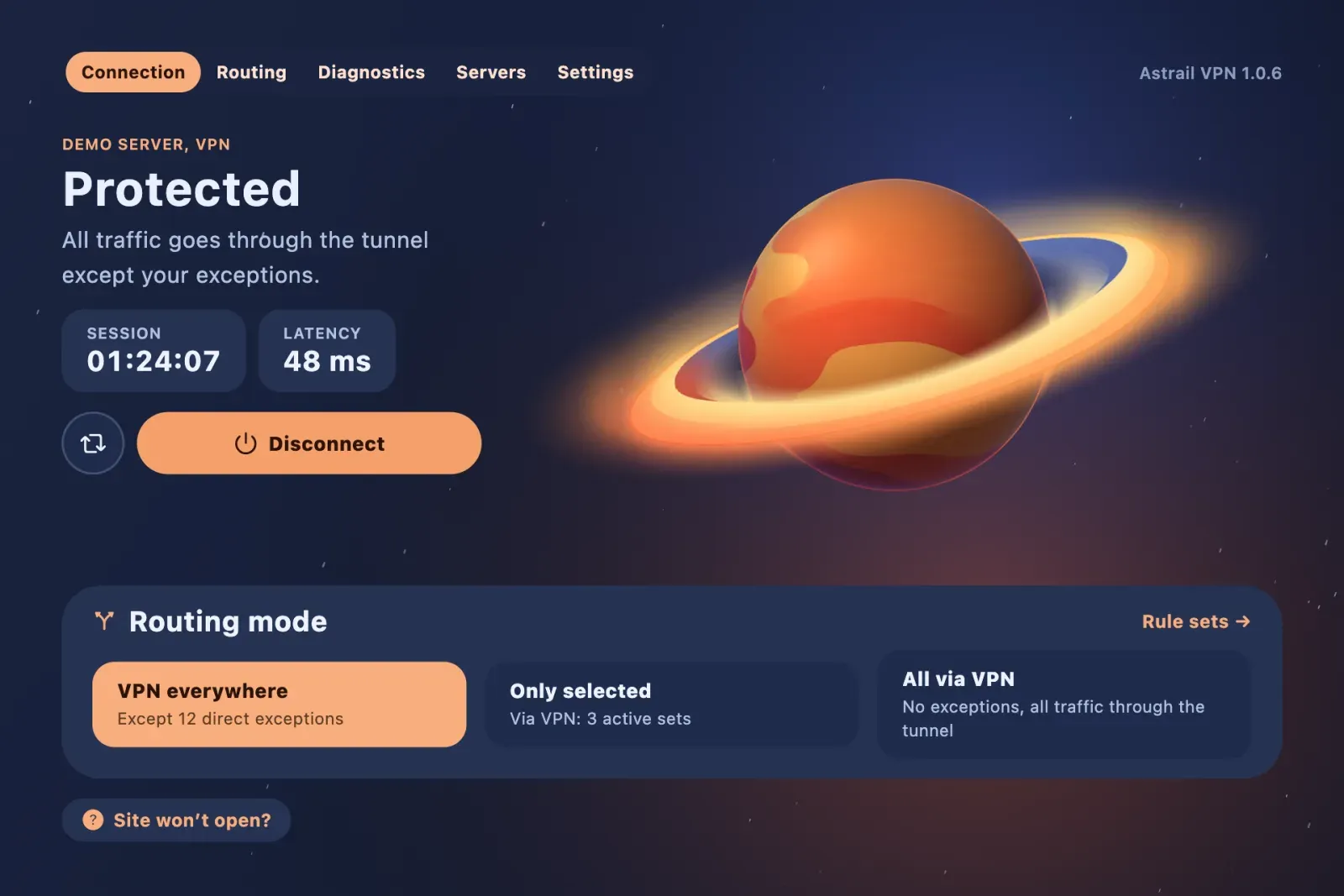
Home: connection status, session time and latency, with the routing mode one click away (demo data).
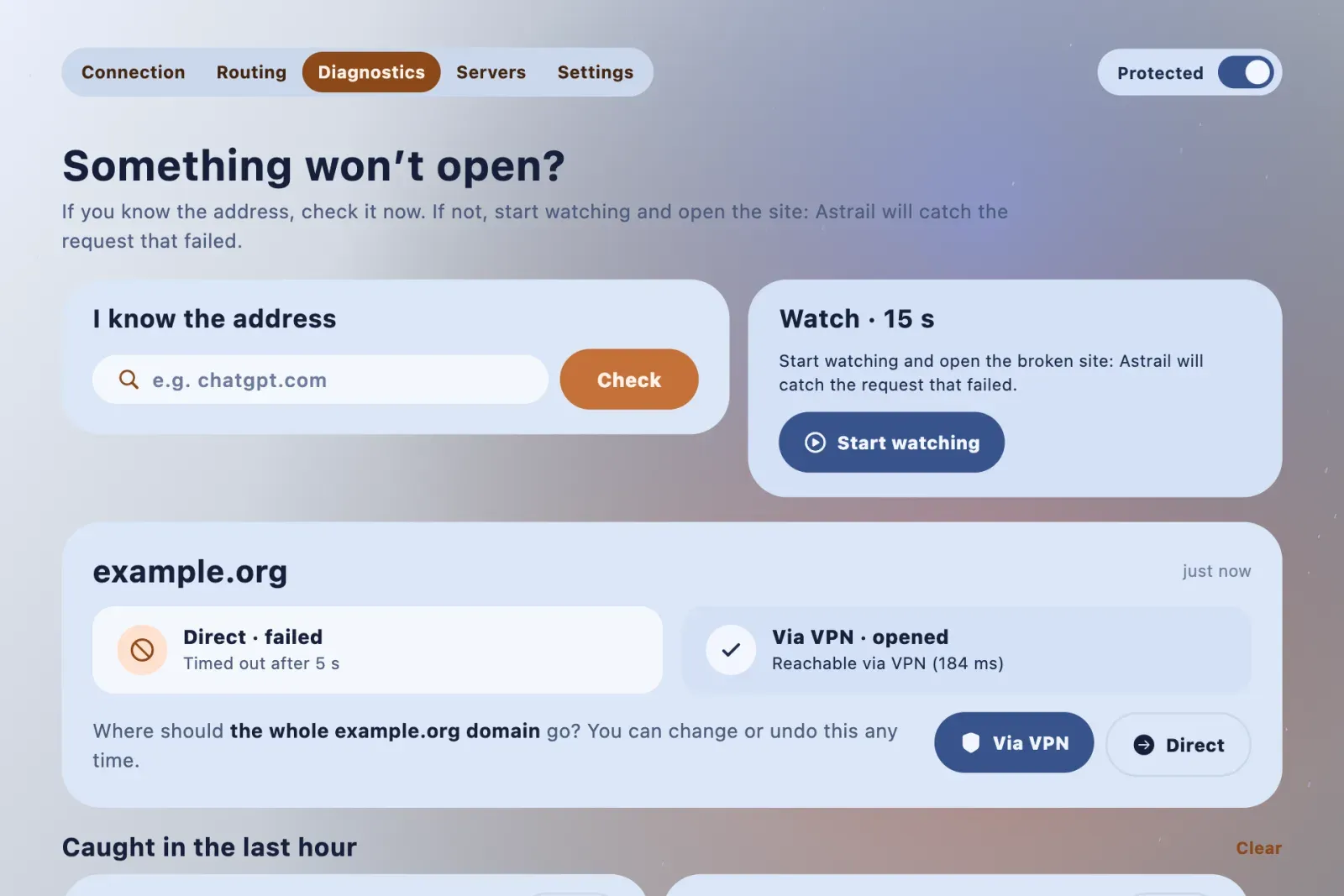
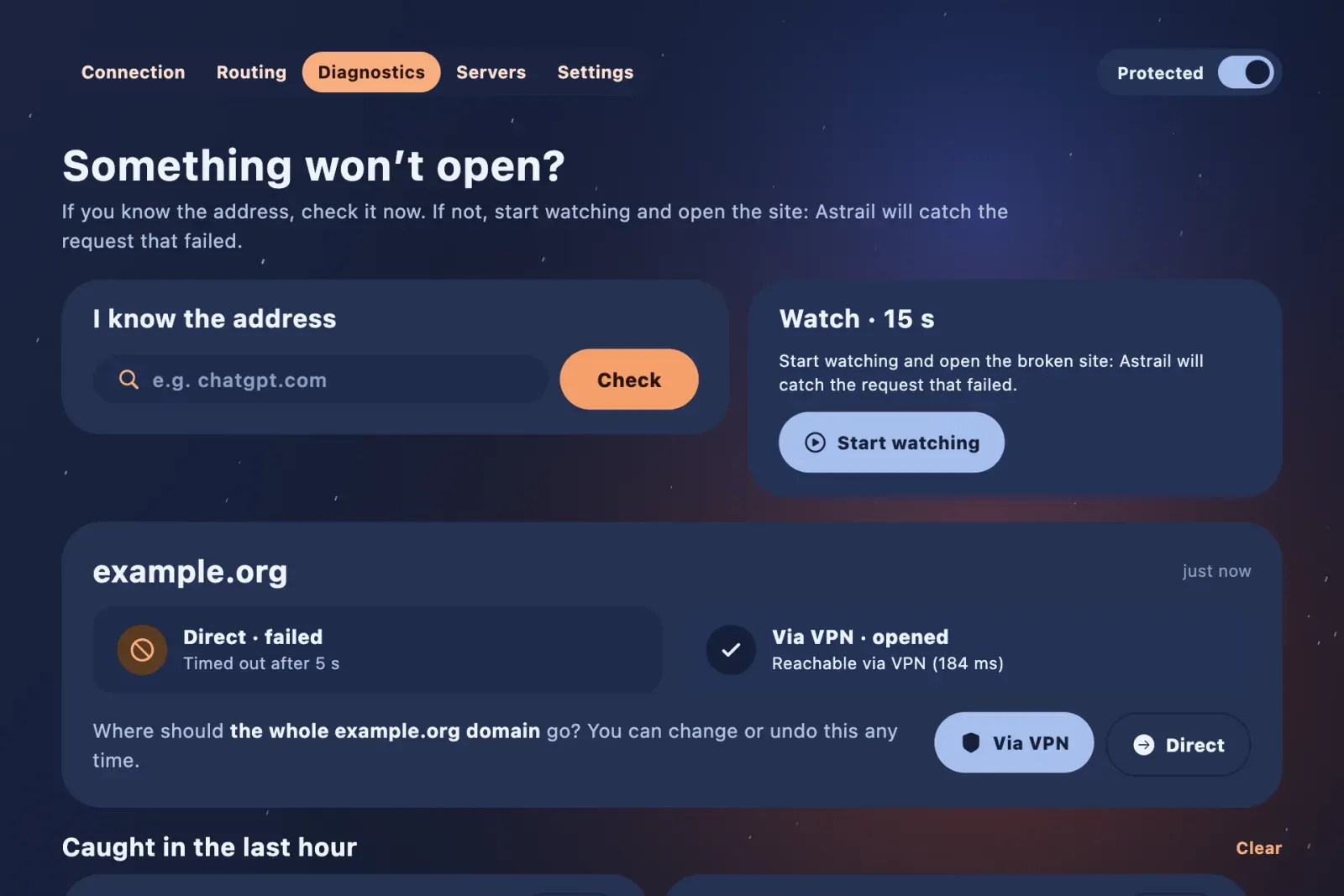
Diagnostics: check a domain directly and through the VPN, or start a 15-second watch and open the broken site; then route the whole domain via VPN or directly.
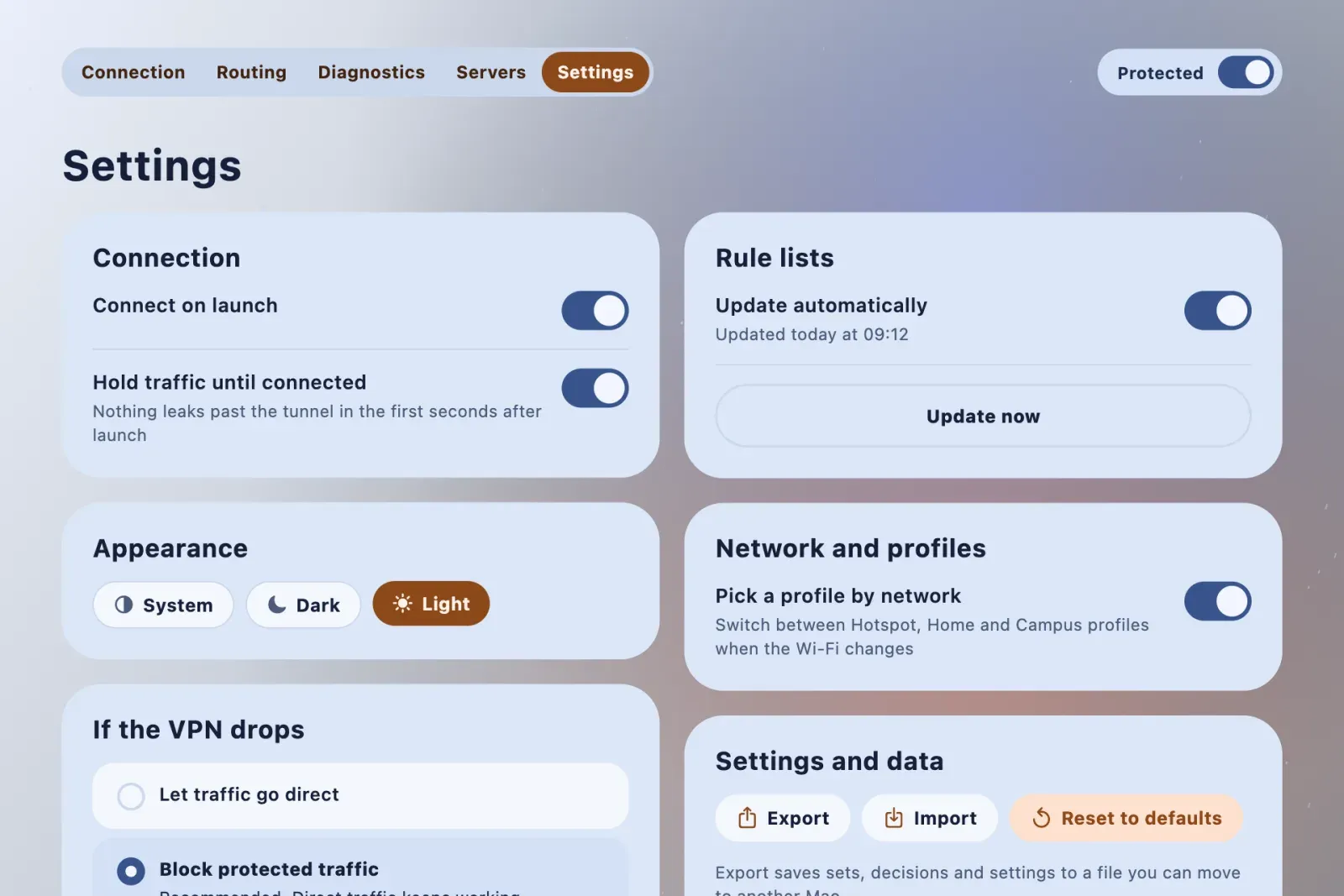
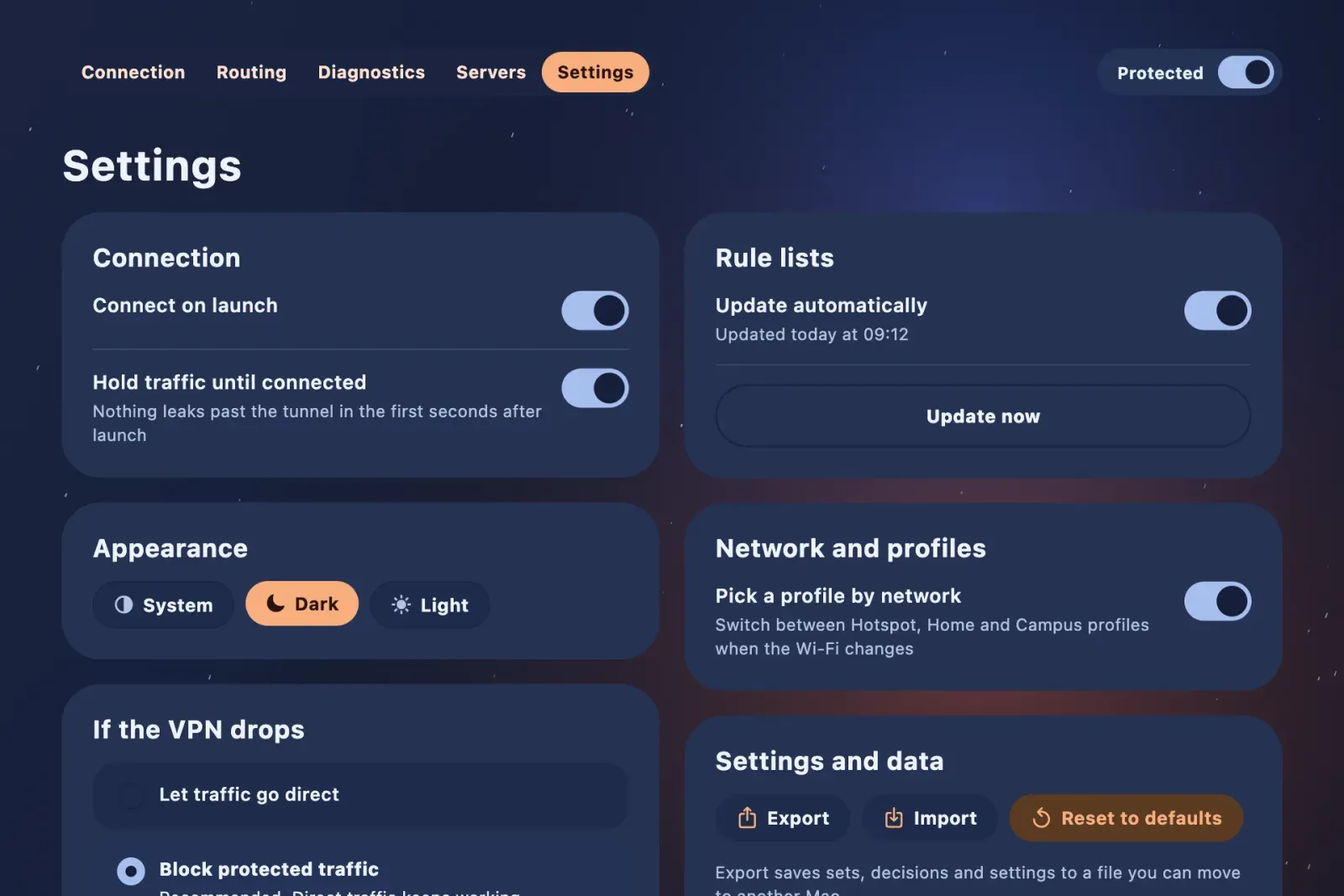
Settings: hold traffic until the tunnel is up, pick the appearance, and choose what the kill switch blocks if the VPN drops.
1 / 3 Home: connection status, session time and latency, with the routing mode one click away (demo data).
What it is
Astrail is the desktop client for a VPN I run for myself and one other person. Its main idea is that a VPN app should not just connect, but explain what is going on: when a site breaks, it measures the problem and can honestly say “this is not the VPN”.
One switch connects the computer. While it connects, a rocket flies from Earth to a destination planet, and the animation follows the real connection state: if the handshake is slow, the rocket waits instead of pretending to arrive. A counter shows how long the session has been up, counting only confirmed time, so a laptop asleep overnight does not inflate it.
Two modes decide what goes through the tunnel: everything except chosen exceptions, or only the apps and sites I pick. Apps come from a native macOS picker with their icons, and a domain can cover its subdomains with one checkbox. Each domain can be set to automatic, always through the VPN, never through it, or blocked. Before changing a rule, a route check shows where a given domain would go.
When a site misbehaves, the diagnostics screen runs a short A/B probe, direct and through the tunnel side by side, and tells a site that blocks me apart from a slow tunnel. A journal keeps the history without a special recording mode. Closing the window keeps the VPN running in the menu bar, and quitting stops it cleanly.
What I built
A Flutter desktop app for macOS and Windows on top of the open-source sing-box core, plus the platform layer that runs the tunnel with system privileges and the rule system shared with my phone. I set six principles for it and kept to them: the user decides the outcome and the app decides the method; verify instead of guessing; every change is reversible; a manual decision beats any list; the app may say “not my fault”; nothing goes stale silently.
Home: connection status, session time and latency, with the routing mode one click away (demo data).
Diagnostics: check a domain directly and through the VPN, or start a 15-second watch and open the broken site; then route the whole domain via VPN or directly.
Settings: hold traffic until the tunnel is up, pick the appearance, and choose what the kill switch blocks if the VPN drops.
1 / 3 Home: connection status, session time and latency, with the routing mode one click away (demo data).
Technical highlights
- Privileged tunnel. On macOS the core runs as a launchd daemon behind a system TUN interface, with a narrow sudoers rule that allows only the exact commands the app needs. On Windows it runs as a system service with Wintun. A single
CoreServicehides the difference from the rest of the app. - Kill switch. Three levels: off, block only protected traffic, or block everything. If the core fails, a Packet Filter anchor on macOS or Windows Firewall rules on Windows keep traffic from going around the tunnel. Quitting the app removes the block, so the computer is never left offline.
- Rule engine. Rules compile in layers into the core’s configuration, with a dry run before anything is applied and a conflict detector. Manual decisions always win over lists, and a system layer for local network and captive portals cannot be switched off by mistake. Switching modes goes through the core’s local API, so the core never restarts and open connections survive.
- Honest connection state. “Connected” means a real network path check passed, not just that the process is alive.
- Failure classifier. Separates a geo-block from a site (HTTP 403) from a tunnel timeout and other failure types, so diagnostics point at the right cause.
- Rule sync. Domain rules travel to the Karing client on my phone through a small sync service with revisions, so both devices route the same way.
- Shader planet. The planet on the home screen is a flat painting projected onto a sphere by a fragment shader, with spin, tilt and lighting.
- Structure. Clean Architecture with BLoC and Cubit, a
Result<T>type for errors, and unit tests for routing, the core lifecycle and the rule engine, with strict tests that lock the routing invariants.
Result
In daily use on my own computers and not distributed. The repository stays private because it contains the connection settings for my server, so this page has no link and no code; the screenshots never show addresses or keys.
My role
Sole author: the app, the platform layer, the rule system and the server it connects to. I wrote it with AI coding agents, the same way I work on my other projects, and set the product principles and the architecture myself.